Comparing Cloud Computing Services for Business Operations
A comparative analysis of leading cloud computing services to help businesses choose the best solution for their operational needs.
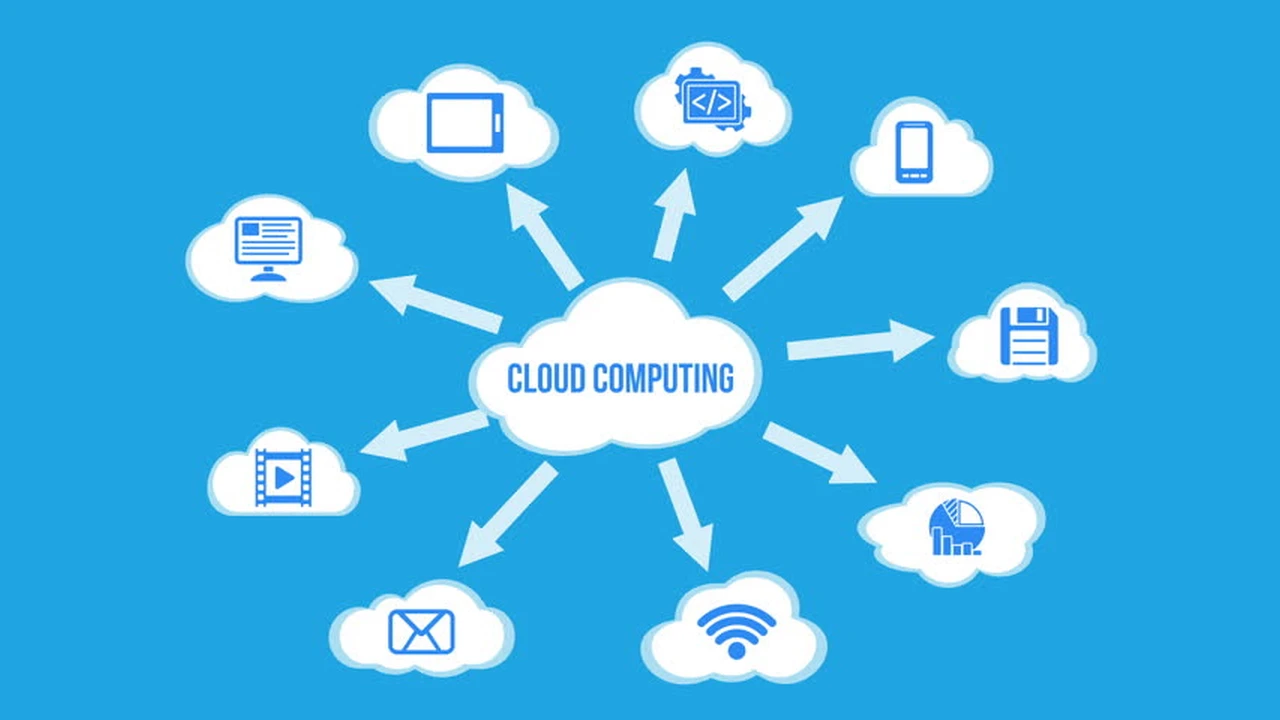
A comparative analysis of leading cloud computing services to help businesses choose the best solution for their operational needs.
Comparing Cloud Computing Services for Business Operations
Understanding Cloud Computing for Business Efficiency
Hey there, business owners and tech enthusiasts! Let's talk about something that's probably already a big part of your daily operations, even if you don't always realize it: cloud computing. In today's fast-paced digital world, relying on traditional, on-premise IT infrastructure can feel like trying to win a Formula 1 race with a horse and buggy. Cloud computing isn't just a buzzword; it's a fundamental shift in how businesses access, store, and manage their data and applications. It offers unparalleled flexibility, scalability, and cost-efficiency, making it an indispensable tool for businesses of all sizes, from a small startup in Singapore to a large enterprise in New York.
But with so many options out there, how do you pick the right cloud computing service for your specific operational needs? It's not a one-size-fits-all situation. The 'best' cloud service for a small e-commerce store in Jakarta might be completely different from what a growing tech company in Silicon Valley requires. This article is going to break down the leading cloud computing services, compare their features, pricing, and use cases, and help you make an informed decision. We'll dive deep into what makes each platform tick, who they're best suited for, and even give you some real-world product recommendations and pricing insights.
Key Benefits of Cloud Computing for Modern Businesses
Before we jump into the comparisons, let's quickly recap why cloud computing is such a game-changer for modern businesses. Understanding these benefits will help you appreciate the value each service brings to the table.
Scalability and Flexibility for Business Growth
Imagine your business experiences a sudden surge in demand, perhaps due to a successful marketing campaign or a seasonal peak. With traditional IT, scaling up means purchasing and installing new hardware, which is time-consuming and expensive. Cloud computing, however, allows you to scale your resources up or down almost instantly. Need more storage for your customer data? Done. Need more processing power for your analytics? Easy. This elasticity means you only pay for what you use, making it incredibly cost-effective for businesses with fluctuating needs. This is particularly crucial for startups and small businesses in both the US and Southeast Asia, where rapid growth and agile adaptation are key to survival.
Cost Efficiency and Reduced IT Overhead
One of the most attractive aspects of cloud computing is its potential for significant cost savings. By moving to the cloud, you eliminate the need for large upfront investments in hardware, software licenses, and maintaining your own data centers. The cloud provider handles all the infrastructure, maintenance, and upgrades. This shifts your IT expenditure from a capital expense (CapEx) to an operational expense (OpEx), which can be much easier to manage and budget for. Think about the cost of electricity, cooling, physical security, and the salaries of IT staff required to manage on-premise servers – all significantly reduced or eliminated with cloud adoption.
Enhanced Data Security and Disaster Recovery
While some businesses initially worry about data security in the cloud, leading cloud providers invest heavily in state-of-the-art security measures that often surpass what a small or medium-sized business could afford on its own. They employ advanced encryption, multi-factor authentication, and continuous monitoring to protect your data. Furthermore, cloud services typically offer robust disaster recovery solutions, ensuring your data is backed up and can be quickly restored in the event of an outage, natural disaster, or cyberattack. This peace of mind is invaluable for business continuity.
Accessibility and Collaboration for Distributed Teams
In an increasingly globalized and remote-work-friendly world, cloud computing enables seamless accessibility and collaboration. Your team members, whether they're in New York, Bangkok, or working from home, can access applications and data from anywhere, at any time, on any device, as long as they have an internet connection. This fosters greater productivity, streamlines workflows, and supports a flexible work environment, which is a huge advantage for businesses operating across different geographical locations.
Leading Cloud Computing Service Providers Compared
Alright, let's get to the main event: comparing the heavy hitters in the cloud computing arena. We'll focus on the three giants that dominate the market, as they offer the most comprehensive and robust solutions for a wide range of business needs.
Amazon Web Services AWS The Industry Leader
Overview: AWS is, without a doubt, the pioneer and market leader in cloud computing. Launched in 2006, it offers an incredibly vast and deep suite of services, from basic compute and storage to advanced machine learning, artificial intelligence, and IoT solutions. Its global infrastructure is unparalleled, with regions and availability zones spread across the world, ensuring low latency and high availability for users everywhere, including critical hubs in the US and rapidly growing markets in Southeast Asia like Singapore and Indonesia.
Key Features and Use Cases: AWS is known for its incredible breadth of services. You can run virtually any application on AWS. For a small business, key services might include:
- Amazon EC2 (Elastic Compute Cloud): Virtual servers for running applications.
- Amazon S3 (Simple Storage Service): Object storage for data backup, archiving, and hosting static websites.
- Amazon RDS (Relational Database Service): Managed relational databases (MySQL, PostgreSQL, SQL Server, etc.).
- AWS Lambda: Serverless computing, allowing you to run code without provisioning or managing servers.
- Amazon CloudFront: Content Delivery Network (CDN) for faster content delivery.
Best Suited For: AWS is ideal for businesses that need a highly scalable, flexible, and feature-rich platform. It's particularly strong for startups and enterprises that require a wide array of specialized services, have complex architectures, or anticipate significant growth. Its pay-as-you-go model makes it accessible, but its complexity can be a learning curve for newcomers.
Product Recommendations and Pricing Insights:
- Amazon EC2 (t3.micro instance): A good starting point for small web applications or development environments. Estimated Cost: Around $8-$10 per month for a Linux instance, depending on region and usage.
- Amazon S3 (Standard Storage): For storing website assets, backups, or user-generated content. Estimated Cost: Around $0.023 per GB per month for the first 50 TB.
- AWS Free Tier: AWS offers a generous free tier for new customers, allowing you to experiment with many services for 12 months, including 750 hours of EC2 t2.micro/t3.micro instance usage and 5GB of S3 standard storage. This is fantastic for startups to get started without immediate costs.
Considerations: While powerful, AWS can be complex to navigate due to its sheer number of services. Cost management requires careful monitoring, as unexpected usage can lead to higher bills. Many businesses opt for AWS consulting services to optimize their setup and costs.
Microsoft Azure Comprehensive Enterprise Solutions
Overview: Microsoft Azure is a strong contender, especially for businesses already invested in the Microsoft ecosystem. It offers a comprehensive suite of cloud services, including computing, analytics, storage, and networking. Azure has made significant strides in recent years, expanding its global footprint and offering competitive services that appeal to both enterprises and small to medium-sized businesses (SMBs).
Key Features and Use Cases: Azure excels in hybrid cloud solutions, seamlessly integrating with on-premise Microsoft technologies. Key services include:
- Azure Virtual Machines: Scalable compute capacity for various workloads.
- Azure Blob Storage: Object storage for unstructured data.
- Azure SQL Database: Managed relational database service compatible with SQL Server.
- Azure App Service: Platform-as-a-Service (PaaS) for building, deploying, and scaling web apps and APIs.
- Azure Active Directory: Identity and access management, crucial for enterprise security.
Best Suited For: Azure is an excellent choice for businesses that heavily rely on Microsoft products (Windows Server, SQL Server, .NET applications) or have a significant on-premise Microsoft infrastructure they wish to extend to the cloud. It's also very popular with enterprises due to its strong compliance offerings and hybrid cloud capabilities. SMBs can also benefit from its managed services and developer-friendly tools.
Product Recommendations and Pricing Insights:
- Azure B1s Virtual Machine: A cost-effective option for small web servers or development environments. Estimated Cost: Around $10-$15 per month for a Linux VM, depending on region and usage.
- Azure Blob Storage (Hot Tier): For frequently accessed data. Estimated Cost: Around $0.02 per GB per month.
- Azure Free Account: Offers 12 months of free services for popular products like Virtual Machines, Blob Storage, and Azure Cosmos DB, plus a $200 credit for the first 30 days. This is a great way to explore Azure's capabilities.
Considerations: While Azure offers great integration with Microsoft products, its pricing structure can sometimes be complex, and optimizing costs requires a good understanding of its various services and discounts. The learning curve can be steep for those unfamiliar with the Microsoft ecosystem.
Google Cloud Platform GCP Innovation and Data Analytics
Overview: Google Cloud Platform (GCP) is Google's offering in the cloud computing space. While a later entrant compared to AWS, GCP has rapidly gained market share, particularly among tech-forward companies, startups, and businesses with a strong focus on data analytics, machine learning, and open-source technologies. It leverages Google's global infrastructure, which powers services like Google Search and YouTube, offering high performance and reliability.
Key Features and Use Cases: GCP is renowned for its strengths in data processing, machine learning, and containerization. Key services include:
- Google Compute Engine: Virtual machines for various workloads.
- Google Cloud Storage: Object storage with different classes for various access needs.
- Google Kubernetes Engine (GKE): Managed Kubernetes service, a leader in container orchestration.
- BigQuery: A highly scalable, serverless data warehouse for analytics.
- Cloud AI Platform: Tools for building and deploying machine learning models.
Best Suited For: GCP is an excellent choice for businesses that prioritize data analytics, machine learning, and AI. It's also very popular with developers and companies that embrace open-source technologies and containerized applications. Startups looking for cutting-edge technology and a strong developer experience often find GCP appealing. Its global network infrastructure is also a big plus for businesses with a global user base, including those in Southeast Asia.
Product Recommendations and Pricing Insights:
- Google Compute Engine (e2-micro instance): A cost-effective VM for small applications or testing. Estimated Cost: Around $7-$9 per month for a Linux instance, depending on region and usage.
- Google Cloud Storage (Standard): For general-purpose storage. Estimated Cost: Around $0.02 per GB per month.
- GCP Free Tier: Includes a $300 credit for 90 days to explore any GCP product, plus always-free usage limits for services like Compute Engine (one e2-micro VM instance per month) and Cloud Storage (5 GB per month). This is a great way to get hands-on experience.
Considerations: While GCP offers powerful tools, its ecosystem is still smaller than AWS, and some niche services might not be as mature. Its pricing can also be complex, especially with its focus on granular usage, requiring careful monitoring to optimize costs.
Choosing the Right Cloud Service for Your Business Operations
Now that we've looked at the big three, how do you decide which one is the best fit for your business? It really boils down to your specific needs, existing infrastructure, and future goals.
Assessing Your Business Needs and Workloads
Start by clearly defining what you need the cloud for. Are you looking to host a simple website, run complex data analytics, develop mobile applications, or migrate an existing enterprise application? Each cloud provider has strengths in different areas. For example:
- If you're a startup building a new application from scratch and need maximum flexibility and a vast array of services: AWS might be your go-to.
- If your business heavily relies on Microsoft technologies and you're looking for seamless integration with your existing on-premise setup: Azure could be the perfect match.
- If data analytics, machine learning, or containerized applications are at the core of your business strategy: GCP offers cutting-edge solutions in these areas.
Considering Cost Management and Budgeting
Cloud costs can quickly add up if not managed properly. All three providers offer a pay-as-you-go model, but their pricing structures differ. It's crucial to:
- Utilize Free Tiers: All three offer generous free tiers for new users, which are excellent for testing and small projects.
- Understand Pricing Models: Familiarize yourself with how each service charges for compute, storage, data transfer, and other resources.
- Leverage Cost Management Tools: All providers offer tools to monitor and optimize your spending. Don't ignore them!
- Consider Reserved Instances or Savings Plans: If you have predictable, long-term workloads, committing to a certain usage level can significantly reduce costs.
Evaluating Ecosystem and Integration Capabilities
Think about your current technology stack and what you plan to use in the future. Do you need strong integration with specific third-party tools? Are your developers more familiar with a particular cloud environment? The ecosystem includes not just the cloud provider's own services but also the marketplace of third-party solutions and the community support available.
Geographical Presence and Compliance Requirements
For businesses targeting specific regions like the US or Southeast Asia, the geographical presence of data centers is important for latency and compliance. All three providers have extensive global networks, but check if they have data centers in the specific regions critical to your operations. Also, consider any industry-specific compliance requirements (e.g., HIPAA for healthcare, GDPR for data privacy) and ensure your chosen provider meets those standards.
Hybrid and Multi-Cloud Strategies for Enhanced Operations
While choosing a single cloud provider is common, many businesses, especially larger ones or those with specific regulatory needs, are adopting hybrid or multi-cloud strategies. This means using a combination of on-premise infrastructure and public cloud (hybrid cloud) or utilizing services from multiple public cloud providers (multi-cloud).
Benefits of a Hybrid Cloud Approach
A hybrid cloud allows you to keep sensitive data or critical applications on-premise while leveraging the public cloud for less sensitive workloads, scalability, and disaster recovery. This offers the best of both worlds: control over your most vital assets and the flexibility of the cloud. It's particularly useful for businesses with legacy systems that are difficult to migrate or those with strict data sovereignty requirements.
Advantages of a Multi-Cloud Strategy
A multi-cloud strategy involves using two or more public cloud providers. The main advantages include:
- Vendor Lock-in Avoidance: Reduces reliance on a single provider.
- Best-of-Breed Services: Allows you to pick the best service from each provider (e.g., AWS for compute, GCP for AI, Azure for Microsoft integration).
- Disaster Recovery and Redundancy: Provides an extra layer of resilience, as an outage in one cloud won't affect your entire operation.
- Geographical Optimization: Deploying workloads closer to users in different regions for better performance.
However, multi-cloud strategies also introduce complexity in management and integration, so they require careful planning and robust orchestration tools.
Practical Tips for Cloud Migration and Optimization
Once you've chosen your cloud provider, the journey doesn't end there. Effective migration and continuous optimization are key to realizing the full benefits of cloud computing.
Planning Your Cloud Migration Strategy
Don't just jump in! A well-thought-out migration strategy is crucial. This involves:
- Assessment: Identify which applications and data to migrate first.
- Prioritization: Start with less critical workloads to gain experience.
- Re-platforming or Re-architecting: Decide if you'll lift-and-shift existing applications or redesign them to be cloud-native.
- Testing: Thoroughly test applications in the cloud environment before going live.
- Training: Ensure your team is trained on the new cloud platform.
Continuous Cost Optimization and Performance Monitoring
Cloud costs are dynamic. Regularly monitor your usage and spending to avoid surprises. Utilize the cost management tools provided by your cloud vendor. Look for opportunities to:
- Right-size instances: Don't over-provision resources.
- Delete unused resources: Shut down idle virtual machines or delete old storage buckets.
- Leverage reserved instances or savings plans: For predictable workloads.
- Automate scaling: Use auto-scaling features to match resources with demand.
Performance monitoring is equally important. Use monitoring tools to track application performance, identify bottlenecks, and ensure your services are running optimally. This proactive approach helps maintain a good user experience and prevents costly downtime.
Leveraging Managed Services for Simplified Operations
All major cloud providers offer a wide range of managed services (e.g., managed databases, serverless functions, managed Kubernetes). These services offload the operational burden of managing infrastructure to the cloud provider, allowing your team to focus on core business activities and innovation. While they might have a slightly higher per-unit cost, the savings in operational overhead and increased reliability often make them a worthwhile investment, especially for SMBs with limited IT staff.
The Future of Cloud Computing for Entrepreneurship and Small Business Growth
The cloud computing landscape is constantly evolving, with new services and innovations emerging regularly. For entrepreneurs and small businesses, staying abreast of these trends is vital for maintaining a competitive edge. We're seeing increased adoption of serverless computing, greater integration of AI and machine learning into everyday cloud services, and a continued focus on edge computing for low-latency applications. The cloud will continue to democratize access to advanced technologies, enabling even the smallest businesses to leverage capabilities once reserved for large enterprises. By carefully selecting and optimizing your cloud computing services, you're not just managing your IT; you're building a resilient, scalable, and innovative foundation for your business's future growth, whether you're serving customers in the bustling markets of Southeast Asia or the diverse landscape of the United States.
:max_bytes(150000):strip_icc()/277019-baked-pork-chops-with-cream-of-mushroom-soup-DDMFS-beauty-4x3-BG-7505-5762b731cf30447d9cbbbbbf387beafa.jpg)