Comparing Accounting Software for Small Businesses USA
Review and compare the top accounting software solutions tailored for small businesses in the USA, focusing on features and ease of use.
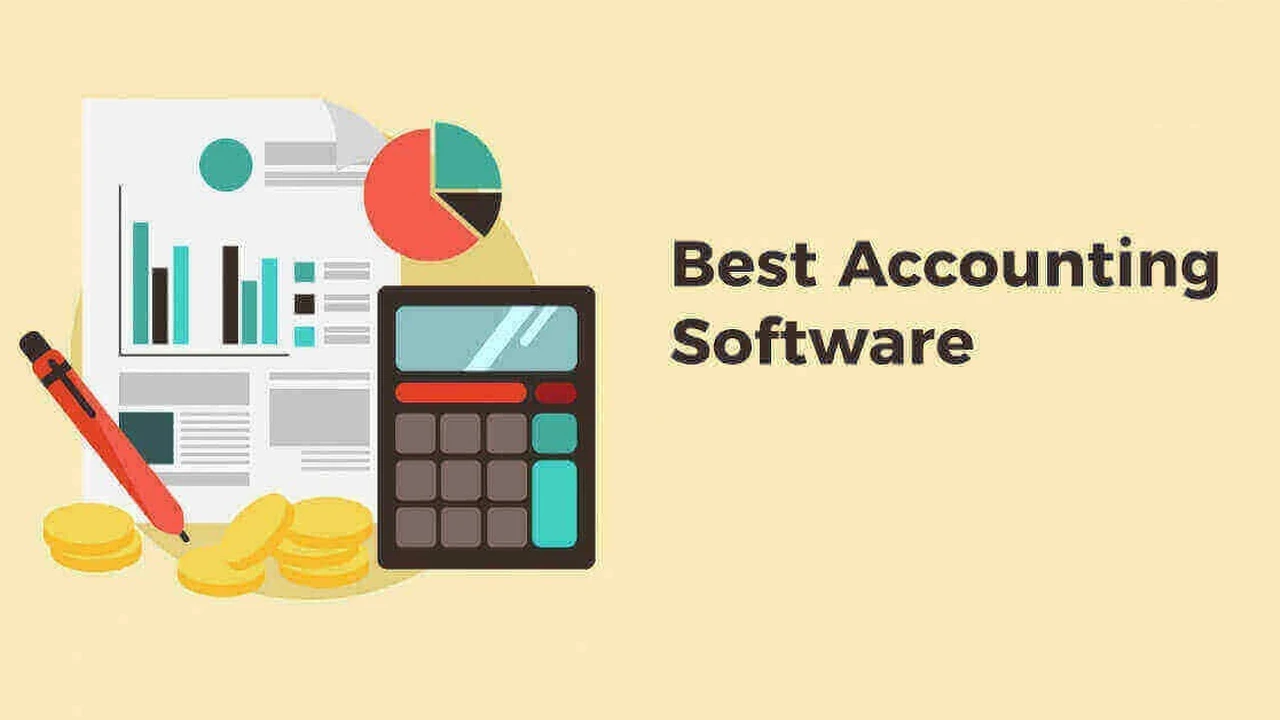
Review and compare the top accounting software solutions tailored for small businesses in the USA, focusing on features and ease of use.
Comparing Accounting Software for Small Businesses USA
Hey there, small business owners in the USA! Let's talk about something super important for your financial health: accounting software. Choosing the right one can feel like navigating a maze, but it's a game-changer for managing your money, staying compliant, and making smart business decisions. We're going to dive deep into the best accounting software solutions out there, looking at their features, ease of use, pricing, and who they're best suited for. Get ready to simplify your financial life!
Why Accounting Software is a Must Have for US Small Businesses
Gone are the days of shoeboxes full of receipts and endless spreadsheets. Modern accounting software isn't just about tracking expenses; it's a powerful tool that offers a ton of benefits. For US small businesses, it helps with everything from tax preparation to understanding your cash flow. Think about it: automated invoicing, expense tracking, payroll integration, and real-time financial reports. These features save you time, reduce errors, and give you a clear picture of your business's financial standing. Plus, with IRS regulations and state-specific tax laws, having a system that keeps everything organized and compliant is invaluable.
Key Features to Look for in Small Business Accounting Software
Before we jump into specific products, let's outline what you should be looking for. Not all software is created equal, and your business's unique needs will dictate what features are most important. Here are some non-negotiables:
- Invoicing and Billing: Can you easily create and send professional invoices? Does it support recurring invoices?
- Expense Tracking: How simple is it to record and categorize expenses? Can you snap photos of receipts?
- Bank Reconciliation: Does it connect to your bank accounts and automatically reconcile transactions?
- Financial Reporting: Can you generate essential reports like profit and loss statements, balance sheets, and cash flow statements?
- Tax Preparation: Does it help you prepare for tax season, perhaps even integrating with tax software?
- Payroll Integration: If you have employees, can it handle payroll or integrate seamlessly with a payroll service?
- Inventory Management: If you sell products, does it track inventory levels and costs?
- Time Tracking: For service-based businesses, is there a way to track billable hours?
- User-Friendliness: Is the interface intuitive and easy to navigate, even for non-accountants?
- Customer Support: What kind of support is available if you run into issues?
- Scalability: Can the software grow with your business?
Comparing Top Accounting Software Solutions for US Small Businesses
Alright, let's get to the good stuff! We're going to compare some of the most popular and highly-rated accounting software options for small businesses in the USA. We'll look at QuickBooks Online, Xero, FreshBooks, and Zoho Books.
QuickBooks Online The Industry Standard for US Small Business Accounting
QuickBooks Online (QBO) is probably the first name that comes to mind when you think about small business accounting software, and for good reason. It's a powerhouse, offering a comprehensive suite of features that can handle almost any financial task your business throws at it. Intuit, the company behind QuickBooks, has been around for ages, and their software is widely used by accountants, which can be a huge plus if you work with one.
Key Features and Use Cases for QuickBooks Online
- Robust Invoicing: Create custom invoices, send payment reminders, and accept online payments.
- Detailed Expense Tracking: Connects to bank and credit card accounts for automatic transaction imports. You can also snap receipt photos.
- Comprehensive Reporting: Generates a vast array of financial reports, from basic P&L to more complex custom reports.
- Payroll Integration: Offers its own integrated payroll service (QuickBooks Payroll) or integrates with others.
- Inventory Management: Available in higher-tier plans, it tracks products, costs, and sales.
- Time Tracking: Built-in time tracking for projects and employees.
- Sales Tax Management: Automatically calculates sales tax for different states and helps with filing.
- Project Profitability: Track income and expenses by project to see what's truly profitable.
Who is QuickBooks Online Best For?
QBO is ideal for small to medium-sized businesses that need a full-featured accounting solution. If you have employees, manage inventory, or need detailed project tracking, QBO has you covered. It's also a great choice if your accountant already uses QuickBooks, as collaboration will be seamless.
QuickBooks Online Pricing (as of late 2023/early 2024, subject to change)
QuickBooks Online offers several plans, typically with introductory discounts:
- Simple Start: Around $30/month. Basic income and expense tracking, invoicing, and reporting. Good for freelancers or very small businesses.
- Essentials: Around $55/month. Adds bill management, time tracking, and up to 3 users.
- Plus: Around $85/month. Includes inventory management, project profitability tracking, and up to 5 users. This is often the sweet spot for growing small businesses.
- Advanced: Around $200/month. Offers more users, advanced reporting, and dedicated support. For larger small businesses or those with complex needs.
Payroll and live bookkeeping services are additional add-ons.
Xero The Beautifully Simple Accounting Software for Modern Businesses
Xero is often seen as a strong competitor to QuickBooks Online, especially for businesses that prioritize a clean, intuitive interface and strong bank reconciliation features. Hailing from New Zealand, Xero has gained significant traction in the US market for its user-friendly design and robust ecosystem of integrations.
Key Features and Use Cases for Xero
- Intuitive Dashboard: Provides a clear overview of your financial health at a glance.
- Excellent Bank Reconciliation: Xero excels at connecting to bank feeds and suggesting matches, making reconciliation quick and easy.
- Professional Invoicing: Create and send customized invoices, with options for online payments.
- Expense Management: Track expenses, attach receipts, and categorize transactions.
- Payroll Integration: Integrates with Gusto for payroll services in the US.
- Inventory Tracking: Basic inventory management is included, suitable for many small product-based businesses.
- Multi-Currency Support: Great for businesses dealing with international transactions.
- Extensive App Marketplace: Connects with hundreds of third-party apps for CRM, e-commerce, time tracking, and more.
Who is Xero Best For?
Xero is a fantastic choice for small businesses and startups that value ease of use and a modern interface. If you're looking for strong bank reconciliation, a good app ecosystem, and don't need the absolute deepest reporting capabilities of QBO, Xero could be your perfect match. It's also popular with businesses that have international dealings due to its multi-currency support.
Xero Pricing (as of late 2023/early 2024, subject to change)
Xero also offers tiered pricing, often with promotional discounts:
- Early: Around $15/month. Limited invoices, bills, and bank transactions. Good for very small businesses or freelancers.
- Growing: Around $42/month. Unlimited invoices, bills, and bank transactions. This is the most popular plan for growing small businesses.
- Established: Around $78/month. Adds multi-currency, project tracking, and expense management.
Payroll through Gusto is an additional cost.
FreshBooks The Freelancer and Service Business Favorite
FreshBooks has carved out a niche as the go-to accounting software for freelancers, self-employed professionals, and service-based small businesses. Its focus is heavily on invoicing, time tracking, and project management, making it incredibly efficient for those who bill clients by the hour or project.
Key Features and Use Cases for FreshBooks
- Superb Invoicing: Create professional, customizable invoices quickly. Offers recurring invoices, late payment reminders, and online payment options.
- Robust Time Tracking: Easily track billable hours for projects and clients, then add them directly to invoices.
- Project Management: Manage projects, collaborate with team members, and track project profitability.
- Expense Tracking: Connects to bank accounts, allows receipt scanning, and categorizes expenses.
- Estimates and Proposals: Create and send professional estimates and proposals to win new business.
- Client Management: Keep all your client information organized in one place.
- Basic Reporting: Provides essential reports like P&L, sales tax, and expense reports.
Who is FreshBooks Best For?
If you're a freelancer, consultant, designer, developer, or any service-based business that primarily bills clients for time and projects, FreshBooks is likely your best bet. Its intuitive interface and strong focus on invoicing and time tracking make it incredibly efficient for these types of businesses. It's less suited for product-based businesses with complex inventory needs.
FreshBooks Pricing (as of late 2023/early 2024, subject to change)
FreshBooks' pricing is based on the number of billable clients you have:
- Lite: Around $19/month. For up to 5 billable clients. Basic invoicing, expense tracking, and reports.
- Plus: Around $33/month. For up to 50 billable clients. Adds unlimited proposals, recurring invoices, and client retainers. This is the most popular plan.
- Premium: Around $60/month. For unlimited billable clients. Adds project profitability and custom branding.
- Select: Custom pricing. For businesses with more complex needs, offering dedicated account management and advanced features.
Payroll is an add-on service.
Zoho Books The Comprehensive Suite for Growing Businesses
Zoho Books is part of the larger Zoho ecosystem, which includes a vast array of business applications like CRM, project management, and marketing tools. This integration capability is one of its biggest strengths. Zoho Books itself is a robust accounting solution that offers a lot of features for its price point, making it a strong contender for growing small businesses looking for an all-in-one solution.
Key Features and Use Cases for Zoho Books
- End-to-End Accounting: Covers everything from invoicing and expense tracking to bank reconciliation and financial reporting.
- Inventory Management: Included in most plans, allowing you to track stock, manage warehouses, and handle purchase orders.
- Project Billing: Track projects, log time, and bill clients directly from the project module.
- Sales Order and Purchase Order Management: Create and manage sales and purchase orders efficiently.
- Multi-Currency Support: Handles transactions in multiple currencies, useful for international business.
- Client Portal: Allows clients to view invoices, make payments, and communicate with you.
- Extensive Integrations: Seamlessly integrates with other Zoho apps and many third-party services.
- Workflow Automation: Automate repetitive tasks like sending payment reminders or creating invoices.
Who is Zoho Books Best For?
Zoho Books is an excellent choice for small businesses that are growing and might eventually need a more integrated suite of business tools. If you appreciate a feature-rich solution at a competitive price and potentially want to leverage other Zoho products (like Zoho CRM), then Zoho Books is definitely worth considering. It's suitable for both service and product-based businesses.
Zoho Books Pricing (as of late 2023/early 2024, subject to change)
Zoho Books offers a free plan for businesses with revenue under $50,000, which is a great starting point. Paid plans are very competitive:
- Free: For businesses with revenue under $50,000. Basic invoicing, expense tracking, and bank reconciliation.
- Standard: Around $15/month. Adds recurring expenses, custom fields, and up to 3 users.
- Professional: Around $40/month. Includes sales orders, purchase orders, inventory tracking, and up to 5 users.
- Premium: Around $60/month. Adds vendor portal, custom reports, and up to 10 users.
- Elite: Around $120/month. Includes a custom domain, advanced inventory, and up to 10 users.
- Ultimate: Around $240/month. Offers advanced analytics and up to 10 users.
Payroll is an add-on service, often integrated with Zoho Payroll.
Other Notable Accounting Software Options for US Small Businesses
While the above four are major players, there are other excellent options that might fit specific needs:
Wave Accounting The Free Option for Very Small Businesses
Wave is famous for offering completely free accounting software. Yes, you read that right, free! It includes invoicing, expense tracking, and basic reporting. They make their money through paid services like payroll and payment processing. It's a fantastic option for freelancers, sole proprietors, or very small businesses with simple accounting needs who are on a tight budget.
Wave Accounting Use Cases and Pricing
Use Cases: Freelancers, sole proprietors, very small businesses with minimal transactions. Great for getting started without upfront costs.
Pricing: Free for accounting, invoicing, and receipt scanning. Payroll and payment processing are paid services.
Sage 50cloud Accounting For Desktop Software Enthusiasts
Sage 50cloud (formerly Peachtree) offers a hybrid solution, combining desktop software with cloud capabilities. This is great for businesses that prefer the robustness and control of desktop software but also want some cloud-based features like remote access and data backup. It's generally more complex than the purely cloud-based options and often caters to slightly larger small businesses or those with specific industry needs.
Sage 50cloud Accounting Use Cases and Pricing
Use Cases: Small to medium-sized businesses that prefer desktop software, require strong inventory management, or have industry-specific needs. Businesses that need robust reporting and job costing.
Pricing: Starts around $59/month for a single user, with higher tiers for more users and advanced features. This is a subscription for desktop software with cloud features.
Choosing the Right Accounting Software for Your Business
So, how do you pick the winner? It really boils down to your specific business needs. Here's a quick guide:
- Consider Your Business Type: Are you a service-based business, a product seller, or a freelancer? FreshBooks shines for service providers, while QuickBooks Online and Zoho Books handle inventory well.
- Assess Your Budget: While free options like Wave exist, paid software often provides more features and better support. Factor in monthly subscription costs.
- Evaluate Your Accounting Knowledge: If you're not an accountant, ease of use is paramount. Xero and FreshBooks are often praised for their user-friendly interfaces.
- Think About Scalability: Will the software grow with you? QuickBooks Online and Zoho Books offer robust features for growing businesses.
- Check for Integrations: Do you use other business tools (CRM, e-commerce platform)? Ensure your chosen accounting software integrates seamlessly.
- Talk to Your Accountant: Seriously, this is a big one! Your accountant might have a preference or expertise with certain software, which can make tax season much smoother.
- Take Advantage of Free Trials: Most providers offer free trials. Use them! Test out the features, navigate the interface, and see if it feels right for your business.
Ultimately, the best accounting software for your US small business is the one that simplifies your financial management, saves you time, and provides the insights you need to make informed decisions. Don't rush the process; do your research, try out a few options, and choose the one that feels like the perfect fit for your unique entrepreneurial journey.
:max_bytes(150000):strip_icc()/277019-baked-pork-chops-with-cream-of-mushroom-soup-DDMFS-beauty-4x3-BG-7505-5762b731cf30447d9cbbbbbf387beafa.jpg)